
Audio Mp3 Editor is an audio editing tool with a waveform-based graphical user interface for accurate and comfortable editing. Despite the program name, you can use this tool to modify and enhance not only MP3 files, but also WAV, WMA, Ogg, VOX, RAW, and G.726 audio tracks. The wide range of filters and functions provided make it a useful tool for both amateur and professional users.
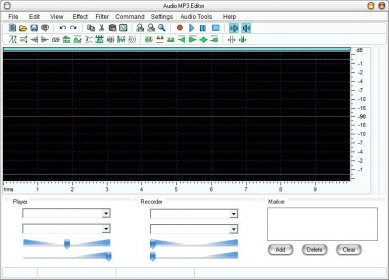
The program interface follows the design of the many other audio editors in the market that use a waveform graph to help users to achieve more accurate results. The waveform of the selected track takes most of the program’s window while a selection of the most used tools and effects is neatly arranged on a double icon bar just below the program’s menus. The functionality offered by Audio Mp3 Editor does not differ much from the one you will find in most professional editors, though you may miss some of the most advanced features. Thus, together with the basic tools to cut, copy, and paste the selected file or audio section, you will find a wide array of filters (Band Pass, High/Low Pass, High/Low Shelf Pass, PeakEQ, etc.) and effects such as mix, fade in and out, normalize, chorus, delay, reverb, invert, flanger, vibrato, or insert noise and silence, among others.
Maybe to compensate for the lack of more exclusive or professional features, the program offers you two very convenient tools – a batch audio converter and a CD ripper. The former can re-encode any of the supported formats into WAV, MP3, WMA, and Ogg files, while the latter not only extracts the tracks of any audio CD, but can also convert them on the fly into any of the above-mentioned formats.
Except for the fact that audio times are given in centiseconds (instead of milliseconds, which seems to be the norm for professional audio editors), Audio Mp3 Editor may well be considered a professional editing tool. The number and relevance of the functions and features it offers is but one proof of that.






Comments (1)