Add effects or filters to your audio files, rip the music from audio CDs, convert to and from various audio formats or record any audio that passes through your sound card.
Audio Mp3 Editor is an audio editing tool with a waveform-based graphical user interface for accurate and comfortable editing. Despite the program name, you can use this tool to modify and enhance not only MP3 files, but also WAV, WMA, Ogg, VOX, RAW, and G.726 audio tracks. The wide range of filters and functions provided make it a useful tool for both amateur and professional users.
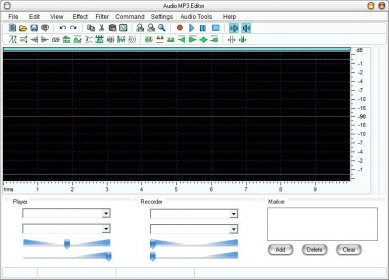
The program interface follows the design of the many other audio editors in the market that use a waveform graph to help users to achieve more accurate results. The waveform of the selected track takes most of the program’s window while a selection of the most used tools and effects is neatly arranged on a double icon bar just below the program’s menus. The functionality offered by Audio Mp3 Editor does not differ much from the one you will find in most professional editors, though you may miss some of the most advanced features. Thus, together with the basic tools to cut, copy, and paste the selected file or audio section, you will find a wide array of filters (Band Pass, High/Low Pass, High/Low Shelf Pass, PeakEQ, etc.) and effects such as mix, fade in and out, normalize, chorus, delay, reverb, invert, flanger, vibrato, or insert noise and silence, among others. more






Comments (1)